
Photo Cutout Service
Professional Photo Cutout Service for eCommerce Product Images
Clipping World provides manual photo cutout services designed for eCommerce brands, photographers, and agencies that require precise subject isolation and professional image quality.
Our editors use clipping path, image masking, and manual Photoshop refinement to create clean edges and production-ready images for online stores, catalogues, and advertising.
✔ Starting from $0.25 per image
✔ Suitable for small, bulk, and recurring orders
✔ Free trial available for new clients
✔ Custom quotes for large projects
Why Choose Manual Photo Cutout Over AI Tools
Manual editing provides higher accuracy, better detail preservation, and consistent quality across every image, making it the preferred choice over automated tools for professional eCommerce results.

What Is a Photo Cutout Service?
Photo cutout service (also known as photo cut out service or image cutout service) is a manual image editing process, similar to our Background Removal Service, used to isolate the main subject from its background with clean, accurate edges. It creates professional product images suitable for eCommerce and marketing use.
This service is commonly used for:
● eCommerce product listings
● Amazon, eBay, Etsy, Shopify, and WooCommerce images
● Fashion and apparel photography
● Jewellery and accessory images
● Catalogue and lookbook production
● Social media graphics
● Marketplace-ready product images
● Advertising and merchandising visuals
A professionally edited cutout helps products look cleaner, more consistent, and easier to understand at a glance.
Photo Cut Out Service vs Background Removal
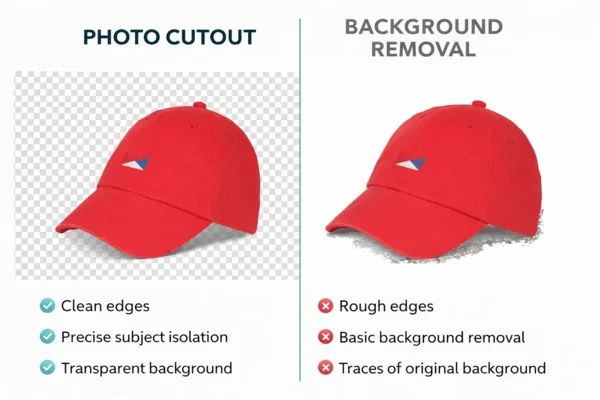
Background removal and photo cutout are related, but they are not always the same. Basic background removal usually means removing the original background from a photo using quick or automated tools.
Professional cut out photo service goes further by focusing on clean subject isolation, refined edges, detail preservation, transparency handling, and proper export for commercial use.
A rough cut may be acceptable for temporary or internal use. However, a professional photo cutout service is the better choice when you need:
• Precise subject isolation
• Smooth and natural edges
• Reliable handling of complex shapes
• Consistent results across batches
• Transparent PNG or white background output
• Reusable assets for eCommerce and marketing
In simple terms, background removal is suitable for quick edits, while professional photo cutout service is the better choice for high-quality product images used in eCommerce, catalogues, and advertising.
Clipping Path vs Image Masking: Which One Do You Need?
Different images require different editing techniques. The right method depends on the edge type, subject detail, and how the image will be used.
Clipping Path
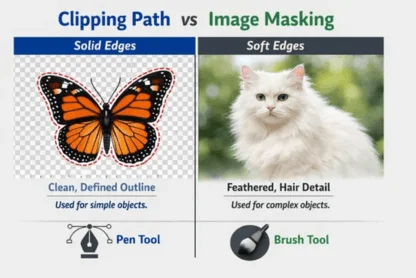
Clipping path is an image editing technique used to create a clean vector outline around an object using the pen tool. It works best for products with solid, clearly defined edges, such as bottles, boxes, electronics, bags, and shoes. This method produces sharp, precise cutouts that are commonly used for eCommerce product images and catalog photography.
Image Masking
Image masking is an image editing technique used to isolate objects with soft, complex, or semi-transparent edges. Instead of creating a hard outline, it preserves fine details such as hair, fur, lace, mesh, and feathers. This method helps maintain natural edges and is commonly used when delicate textures need to remain realistic.
In simple terms, clipping path is ideal for hard-edged objects, while image masking is the better choice for subjects with soft, detailed, or semi-transparent edges.
Why Manual Photo Cutout Matters for eCommerce
In eCommerce, image quality directly affects trust, clarity, and conversion. If the cutout looks rough, the whole product page can feel less professional.
Manual photo cutout service helps brands create cleaner visuals that are easier to merchandise and more consistent across product grids, category pages, ads, and marketplaces.
Manual editing is especially useful for:
● Curved or irregular shapes
● Products with holes and inner gaps
● Grouped items
● Reflective materials
● Transparent packaging
● Jewellery with fine details
● Apparel with texture and folds
For professional storefronts and catalogues, manual editing is usually more dependable than one-click background removal tools.
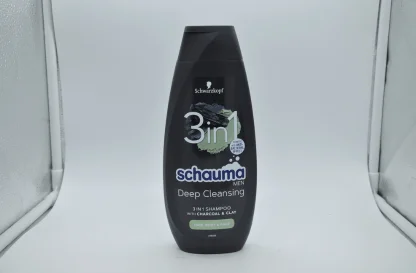
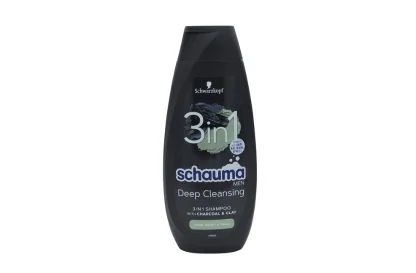
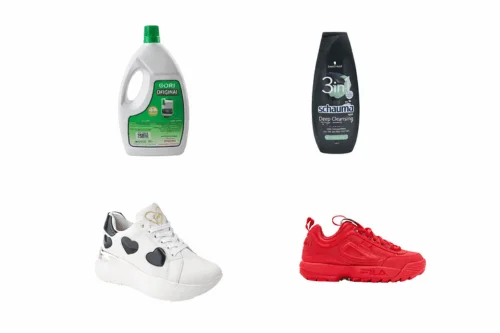
Platform-Ready Photo Cutout for Amazon, eBay, Etsy, Shopify, and WooCommerce
We prepare photo cutout images for eCommerce platforms and marketplace requirements, including white background exports, transparent PNG files, square product visuals, and consistent batch presentation.
Amazon Product Images
Amazon’s official guidance says main product images should have a pure white background with RGB values of 255, 255, 255, and the main image should show only the product.
eBay Listing Images
eBay says listing images need a minimum resolution of 500 x 500 pixels and recommends at least 1600 x 1600. It also advises using uncluttered or white/neutral backgrounds to help products stand out.
Etsy Listing Photos
Etsy recommends listing photos at least 2000 pixels in width and height, and notes that the first listing photo should be at least 635 pixels wide and high to avoid appearing lower in search placements.
Shopify Product Images
Shopify allows product and collection images up to 5000 x 5000 pixels, under 20 MB, and says square product images around 2048 x 2048 pixels usually display best.
WooCommerce Product Images
WooCommerce store owners often need consistent cropping, matching aspect ratios, clean backgrounds, and storefront-ready product visuals. We prepare images in formats suited for website catalogues, category pages, and custom storefront layouts.
We ensure all images meet platform-specific requirements for better visibility and performance.
Product Types We Commonly Edit in Photoshop Cutout Service
Our photo cutout service supports a wide range of commercial product categories, including:
● Clothing and apparel
● Shoes and handbags
● Jewellery and watches
● Cosmetics and skincare products
● Electronics and gadgets
● Furniture and home décor
● Tools and hardware
● Gift items and decorative products
● Glass and reflective products
● Grouped product sets
Each category comes with different cutout challenges. Jewellery often needs very fine edge work. Fashion images may require masking around fabric texture. Grouped products need clean separation and balanced presentation.

Photo Cutout Pricing by Image Complexity
Pricing is based on image complexity, so the cost reflects the level of editing required. Simple objects require less work, while detailed products with multiple edges or gaps require more precise editing.
Photo Cutout Service Categories
Different product images require different levels of editing complexity. Based on the shape, number of edges, and inner gaps, photo cutout services are typically divided into four categories.
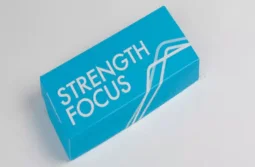
Basic Photo Cutout
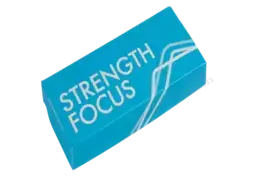
Basic photo cutout is used for simple objects with straight or smooth outlines and no inner gaps. These images usually require a single clipping path to isolate the subject from the background. Common examples include books, boxes, balls, eggs, and simple packaged products.
Simple Photo Cutout
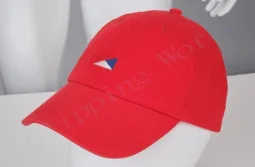
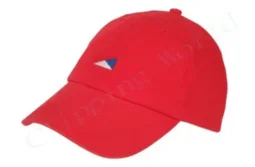
Simple photo cutout is used for products with curved edges or a single inner gap. These images require more detailed path work than basic cutouts to maintain smooth natural edges. Common examples include mugs, T-shirts, shoes, caps, handbags, and similar curved products etc.
Medium Photo Cutout
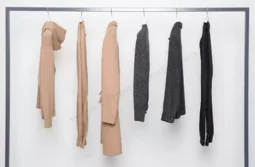
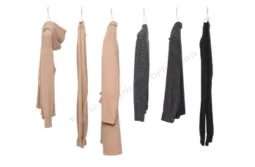
Medium photo cutout is used for products with multiple curves, several inner gaps, or grouped items. These images require more anchor points and detailed path work to maintain accurate edges. Examples include grouped shoes, tool sets, and bundled products.
Complex Photo Cutout
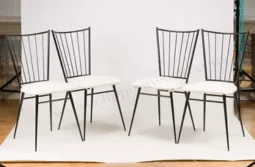
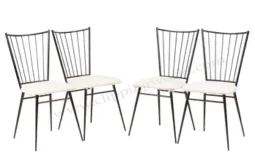
Complex photo cutout is required for products with irregular shapes, multiple edges, and detailed structures. These images require a large number of paths and careful edge refinement. Common examples include bicycles, chains, and flower baskets.
Photo Cutout Service Process
03
Manual Editing
Our editors create accurate cutouts using clipping path, image masking, and manual Photoshop refinement where needed.
04
Final Delivery
Each image is checked for edge quality and export accuracy before the final files are delivered in your requested format.
01
Send Your Images
Upload your files and share your instructions, preferred format, and delivery requirements.
02
Image Review
We review the image complexity and determine the best editing method based on the product type and edge structure.
We Keep the Process Simple and Scalable.
Additional Service Details
Professional photo cutout editing involves more than simply removing a background. We prepare files in multiple formats, maintain strict quality control, and support flexible workflows for eCommerce businesses, photographers, and agencies.
Explore the sections to learn more about our process, delivery options, and production standards.
Our photo cutout service can include:
● manual subject isolation
● clipping path or image masking when required
● edge refinement for clean and natural edges
● export in PNG, JPG, or layered PSD formats
● optional background replacement and shadow creation
● optional resizing or canvas adjustment
● revision support based on the original brief
A good cutout is not only about removing the background. It is also about making the file clean, accurate, and ready to use.
Before delivery, we check:
● edge smoothness
● leftover background fragments
● missing fine details
● halos and jagged lines
● incorrect transparency
● export quality
● file format accuracy
● consistency with the brief
This extra review step helps ensure that the final image is suitable for eCommerce, catalogue, and advertising use.
We support one-time bulk projects and recurring image editing workflows for stores, agencies, studios, and product-based businesses.
This is useful for:
● large product catalogues
● new SKU uploads
● seasonal collections
● campaign launches
● marketplace refreshes
● ongoing store maintenance
If you manage high image volume, a custom quote helps match pricing to image complexity, order size, and turnaround expectations.
Turnaround time depends on image complexity, quantity, and delivery requirements. Smaller jobs are completed faster, while larger batches are scheduled based on volume and deadline.
Typical delivery timelines:
● 1–50 images: 6–12 hours
● 50–200 images: 12–24 hours
● Bulk orders: custom delivery schedule
We support:
● small one-time jobs
● large bulk editing projects
● recurring eCommerce workflows
● agency support
● catalogue image production
● deadline-based delivery planning
Files can be delivered through Dropbox, WeTransfer, FTP, or another agreed method.
We prepare files in formats that fit your workflow and platform requirements.
Transparent PNG
Best for:
● product collages
● landing pages
● ad creatives
● social media graphics
● branded design layouts
White Background JPG
Best for:
● eCommerce product listings
● marketplace uploads
● product category pages
● clean storefront presentation
● standard catalogue layouts
PSD and Layered Files
Best for teams that need editable production files for future retouching, design, or internal workflows. We can also deliver TIFF and other requested formats when needed.
Who Needs Professional Photo Cutout Service?
Professional photo cutout service is useful for any business or creative team that depends on clean product presentation.
eCommerce Sellers
Online sellers use photo cutout service to create consistent product listings for marketplaces and brand-owned stores.
Fashion and Apparel Brands
Fashion businesses need accurate edge handling for garments, shoes, handbags, and accessories, especially where fabric texture or soft edges are involved.
Photographers and Studios
Photographers often outsource cutout work to speed up post-production for catalogues, lookbooks, commercial shoots, and client deliveries.
Product-Based Businesses
Brands selling jewellery, cosmetics, electronics, furniture, tools, home décor, and packaged products use cutout editing to standardise images across websites, catalogues, ads, and marketplaces.
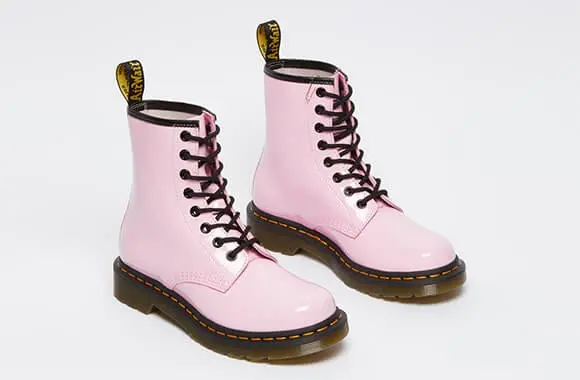
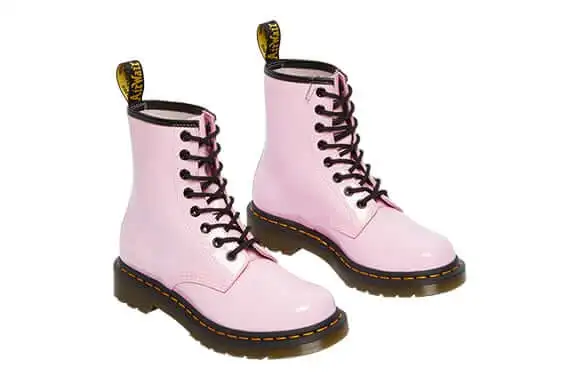
Why Clipping World for Photo Cutout Service?
Clipping World provides professional photo cutout services designed for eCommerce brands, online sellers, photographers, and agencies that require consistent and commercially usable image editing.
Businesses choose Clipping World because we focus on accuracy, scalability, and real production workflows rather than automated background removal.
Our service offers:
● Manual photo cutout editing
● Cleaner edges than automatic tools
● Support for hard-edged and soft-edged products
● Transparent PNG, JPG, PSD, and custom outputs
● Batch consistency across product ranges
● eCommerce-ready workflow
● Bulk order flexibility
● Affordable pricing
Whether you need a few edited images or thousands of product photos, our team prepares cutout files that are ready for storefronts, catalogues, advertisements, and branded design use.
Frequently Asked Questions
Photo cutout service is used to remove the background from a photo and isolate the main subject with clean, accurate edges. Businesses use it to prepare product images for eCommerce stores, Amazon listings, catalogue design, advertisements, and social media marketing.
Photo cutout is the process of removing the background from an image and isolating the main subject. Clipping path is a Photoshop technique that uses the Pen Tool to create a precise vector path around an object. In many cases, clipping path is used to create a clean photo cutout for eCommerce product images.
We commonly edit apparel, jewellery, electronics, cosmetics packaging, furniture, tools, accessories, and grouped product sets for eCommerce and catalogue use.
Yes. For complex edges such as hair, fur, lace, mesh, or semi-transparent materials, we use image masking or layer masking techniques instead of a standard clipping path to preserve natural edge details.
Yes. We can add natural shadows, drop shadows, or reflection shadows after the background removal process to create a more realistic and professional product presentation.
White background JPG is commonly used for eCommerce product listings because it keeps file sizes smaller and works well on marketplaces like Amazon and eBay. Transparent PNG is useful when the image needs to be placed on different backgrounds for design, advertising, or marketing use.
You can send large image files through Dropbox, WeTransfer, FTP, Google Drive, or another agreed file transfer method.
Yes. If corrections are needed based on the original instructions, revision support is available to ensure the final image meets your requirements.
Request a Free Trial or Custom Quote
Need clean, accurate, and affordable photo cutout service for product images, fashion photos, jewellery visuals, or marketplace listings? Clipping World is ready to help you create polished, consistent, and ready-to-publish images for eCommerce, catalogues, advertising, and brand presentation.