

Want to design a professional logo but don’t have experience with Photoshop or Illustrator?
You’re not alone.
Most industry-standard design tools come with a steep learning curve, expensive subscriptions, and time-consuming processes. Thankfully, modern technology offers user-friendly online logo maker tools that allow anyone — even without design skills — to create clean, high-quality, and brand-ready logos in minutes.
In this post, you’ll discover:
- The best free logo design tools.
- Step-by-step instructions for designing a logo.
- Key design principles for a professional look.
- How to do all this without using Adobe tools.
Why Avoid Photoshop or Illustrator for Logo Design?
If you’re a beginner, small business owner, or entrepreneur, traditional design tools like Photoshop and Illustrator might not be the best option.
Challenges with Adobe Tools
- Expensive subscription models.
- Not beginner-friendly.
- Takes time to master.
- Overkill for simple logo needs.
Instead, online logo generators offer drag-and-drop interfaces, templates, and AI suggestions — perfect for non-designers.
What Is an Online Logo Maker?
An online logo maker is a free or freemium tool that lets you create a logo without downloading software. These tools typically offer:
- Customizable logo templates
- Industry-specific categories
- Icon libraries, typography, and color options
- Instant downloads in JPG, PNG, or vector formats
Whether you’re creating a brand identity, launching a side hustle, or just experimenting, these tools are the easiest way to design a logo without software.
Top 3 Online Logo Maker Tools (No Skills Needed)
Here are three of the best tools we tested for DIY professional logo design — fast, free, and beginner-friendly.
1. LogoMaker.net – Best All-in-One Logo Design Platform
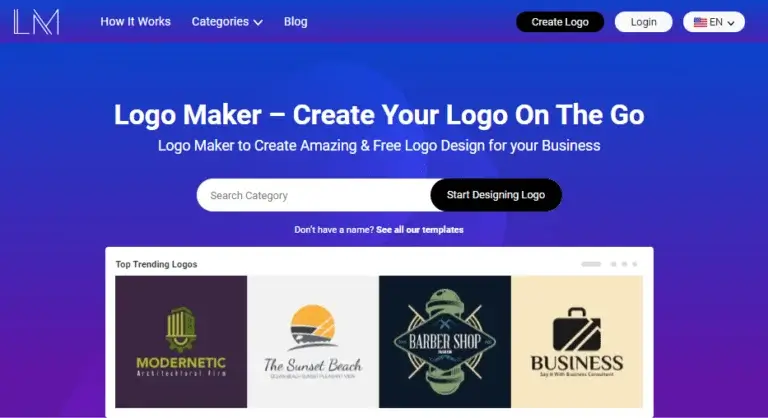
Why We Recommend It:
- Clean UI, easy to navigate.
- AI-powered designs with high visual appeal.
- No design experience required.
- Free downloads in basic quality.
Steps to Use:
- Go to the site.
- Select your brand’s category (e.g., tech, food, fashion).
- Choose a logo template.
- Customize fonts, colors, and icon layout.
- Download your logo instantly.
Relevant Article: 50+ Best Logo Fonts For Graphic Designers
2. SmallSEOTools Logo Creator – Simple & Quick

Highlights:
- 100% free.
- Dozens of categories.
- Instant access — no login needed.
Steps to Use:
- Visit the logo maker tool.
- Pick a business type/style.
- Explore ready-to-edit templates.
- Modify text, colors, and layout.
- Save your final design.
3. Wix Logo Maker – AI-Powered Brand Identity Tool
Wix stands out by using a guided Q&A approach instead of offering templates right away.
How It Works:
- Enter your business name and slogan (optional).
- Answer a few questions about your brand style.
- Let the AI generate personalized logo designs.
- Edit or download your preferred option.
Logo Design Best Practices (Even Without Design Tools)

To make your DIY logo look professional and memorable, follow these foundational design principles:
- Your logo must align with your brand identity. Stick to consistent fonts, colors, and layout styles to reinforce brand recognition.
- Keep it simple and clean. The best logos are easy to remember and recognize — think Nike, Apple, or McDonald’s.
- A good logo should be instantly identifiable. Use clear contrast, unique icons, and bold typography to stand out.
- Choose design elements (symbols, fonts, colors) that resonate with your business niche and your target audience.
Conclusion: Build Your Brand With Confidence
You don’t need expensive software or graphic design expertise to create a stunning, professional logo.
With tools like LogoMaker.net, SmallSEOTools, and Wix Logo Maker, you can craft a logo that’s not only functional but also visually impressive and brand-ready — all without touching Illustrator or Photoshop.
Whether you’re launching a startup, side hustle, or personal brand, these tools give you the power to design like a pro.
Want a Custom Logo Designed by Real Experts?
If you’re looking for:
- Unique logo concepts
- Vector-quality designs
- Brand-matching aesthetics
👉 Contact Clipping World’s Logo Design Experts. We’ll create a logo that tells your story and strengthens your brand.
Frequently Asked Questions
Yes! Tools like LogoMaker.net and SmallSEOTools offer free, editable templates that can be customized and downloaded without cost.
Not at all. These platforms are built for users with no design background. They guide you through the process step by step.
Most platforms allow commercial use, but always check their licensing terms before using logos for resale or large-scale branding.
They’re great for startups or temporary use. For premium branding or trademarking, consider hiring a pro (like Clipping World’s logo designers).