
Clipping Path Services
Best Quality Clipping Path Services for eCommerce & Product Images
Clipping World provides 100% manual clipping path services for eCommerce sellers, photographers, and agencies who need clean, accurate, and professional product images. Our expert Photoshop editors hand-draw every clipping path using the Pen Tool—ensuring sharp edges, perfect cutouts, and consistent results.
With 10+ years of experience, a dedicated team of 150+ professional designers, and the capacity to deliver 5,000+ images per day, we help brands scale faster without compromising quality. From simple background removal to complex multi-path clipping, every image goes through strict quality control.
- Starting at $0.25 per image with 100% quality assurance
- Free trial & fast turnaround
- Up to 50% discount on bulk orders
Get your free clipping path sample today and see the quality difference.

Pricing Categories of Clipping Path Services
Clipping World divides this service into sections so you can choose what you need. Choosing the path type you desire can save you money when placing an order. A simple subject may require more processes. And, occasionally, challenging topics are easier to navigate. This is the second level of analysis. Easily Classify the need for the photographs you have.
Medium Clipping Path
- Up To 50% Discount
- 5000+ image processes in 24 hours
Advance Clipping Path
- Upto 50% Discount
- 2000+ image processes in 24 hours

Best Photoshop Clipping Path Services
Clipping paths are widely used for background removal, color correction, and product image consistency. Explore the common uses of clipping paths in Photoshop to understand their real-world applications.
We offer e-commerce retouching at all levels, from DIY entrepreneurs to Fortune 500 firms and stores. Our computerized assembly line is bringing e-commerce retouching to previously unseen speed, consistency, and value levels With a few clicks, you may select from a variety of clipping paths, automatic or hand-drawn, with or without natural shadow/drop shadow.
If you’re looking for the best quality clipping path service, we believe you’ve found it. Try it for free right now. Discover why leading e-commerce studios entrust Clipping World with millions of photographs every month – and feel free to contact us to discuss your specific requirements and demands.
Clipping Path Services Categories
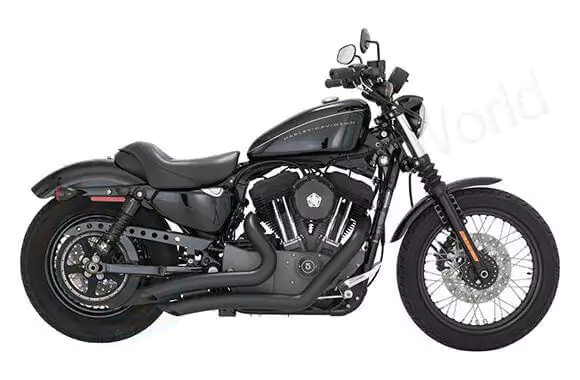
Easy Image Clipping Path
Simple subjects require the usage of the Easy Clipping Path to highlight the subject’s edge. The method is straightforward to learn. Routes are made by following the edges and curves of our objects.
To build a trail, you need many anchor points, which increases process efficiency. The trail may have occasional holes or transparencies. This category includes phones, soccer balls, cups, and other devices. The images start at $0.25 and go higher from there.
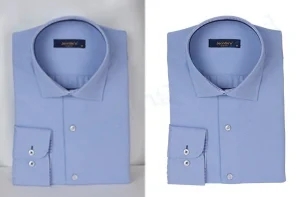
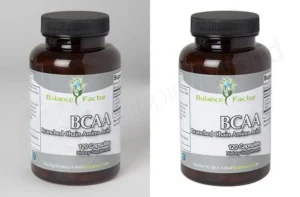
Medium Image Clipping Path
The Medium Clipping Path Services is an advanced clipping path operation. The subjects are increasingly challenging. Subject marking requires a few path constructions to cover the complete image. There may also be more holes and transparency.
This category could comprise product groupings or a product requiring more paths. This path is needed for bracelets, chains, wheels, designer bags, bottles, etc. The pricing start at $0.70 per. Get a free trial before you buy.
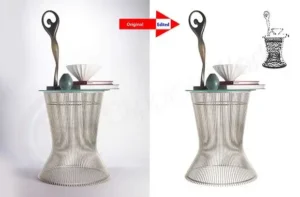
Advance Image Clipping Path
With the Advanced Clipping Path Services, you can clip photos several times. We must construct additional routes, fill in more holes, and increase transparency. This function is also known as the “Multi Clipping Path.” This category has its service page.
This category could comprise product groupings or a product requiring more paths. This path is needed for bracelets, chains, wheels, designer bags, bottles, etc. The pricing start at $2.50 per. Get a quote now.
Working Process
How Clipping World Work?
Upload Your Images
Here you can send us your file using various uploading method like FTP, Dropbox, Google Drive, One Drive, File Mail etc.
Complete Deliver Step
After final Q/A we will notify you and deliver you the complete file using your desire uploading method. Now, you just need to download your images.
Free Trial / Quote Requests Submit
You can judge our service quality by submitting free trial before order or you can request a quote for our service.
Proceed With Production
After getting your images our designer will start your work as per your requirements. 3 quality assurance steps will be done here for ensuring quality.
Working Process
Our Working Process How We Work For Our Customers
Clipping World
Get Your Quote Now
Fill out this form, and we’ll get back to you in 45 minutes or less with your customized quote.
Why You Hire Clipping World As Your Clipping Path Vendor?
When you are struggling with the quality of your photos to promote your brand, consider Clipping World as your best photo editing partner. This is the only company that can guarantee 100% satisfaction.
Our picture editors are skilled in advanced image editing services using Adobe Photoshop, ensuring pixel-perfect and professional clipping path results. They have been working in this industry for a decade. Most significantly, we edit photographs with the newest Adobe Photoshop program.
Clipping World creates a custom and handmade clipping path using the pen tool. Remove the backdrop and replace it with a clean white background. However, it will provide an accurate result. That’s why Clipping World is the best photo editing company.
If you’re unfamiliar with the process, start by understanding what is a clipping path and why manual editing delivers better results than automated tools.
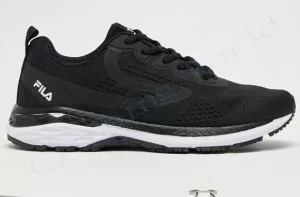
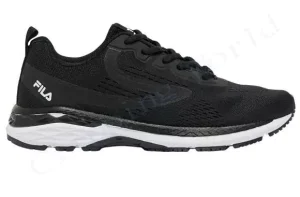
- Clipping Paths Created Handmade.
- High-Quality Paths
- Friendly Customer Service
- Lowest Price Guaranteed
- Available 24 Hours Daily, 7 Days Each Week
- Quick Turnaround Time